A process is code
Gateway conditions, scripts and DMN tables become Go functions before startup. A gateway condition is an ordinary if.
Arrow keys to select, Enter to open, Esc to close
Open source · Go · PostgreSQL
go-bpm turns BPMN diagrams and DMN decision tables into typed Go code and runs it on a PostgreSQL task queue, in the same database as your service data. The engine is a library inside your service. Test methods and decisions with ordinary go test.
Tested on Astra Linux Special Edition 1.8.1.6 →
$ go get github.com/nicolas-vp/go-bpm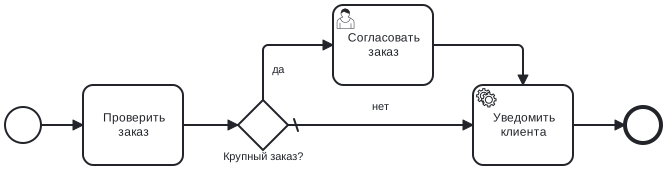
func CheckOrder(ctx context.Context, svc *services.Services,
    data *model.DataModel) error {
    if data.Amount <= 0 {
        return fmt.Errorf("amount must be positive")
    }
    data.Checked = true
    return nil
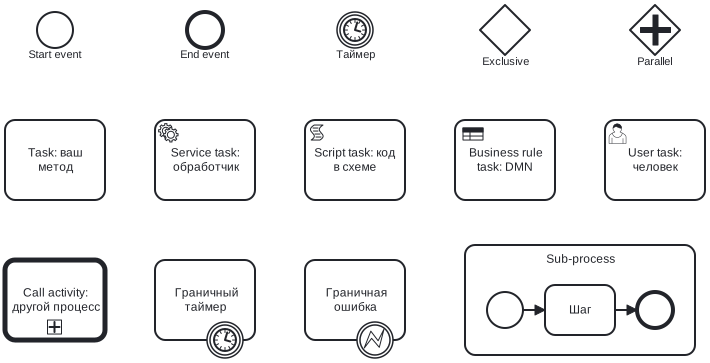
}Use go-bpm modeler, with supported elements and generator validation. Camunda Modeler diagrams work too: go-bpm reads gobpm:* and zeebe:* extensions. Keep BPMN and DMN files in process/ and review them alongside code.
go-bpm-gen validates the diagram and generates transitions, gateway conditions, scripts, DMN decisions and method stubs. The compiler catches errors in expressions.
The engine runs each process step as a PostgreSQL queue task. All database effects of a step commit in one transaction.
Gateway conditions, scripts and DMN tables become Go functions before startup. A gateway condition is an ordinary if.
Token movement, history and new tasks commit together with queue task completion. If the service crashes halfway through, the whole step is retried.
Your DataModel holds process variables. Methods work with struct fields instead of map[string]any.
The queue, history, instances and user tasks live in bpm_* tables. Scale your service with multiple workers sharing one database.
StartProcessTx starts a process in the same transaction as your business data: an order and its process appear together or neither appears.
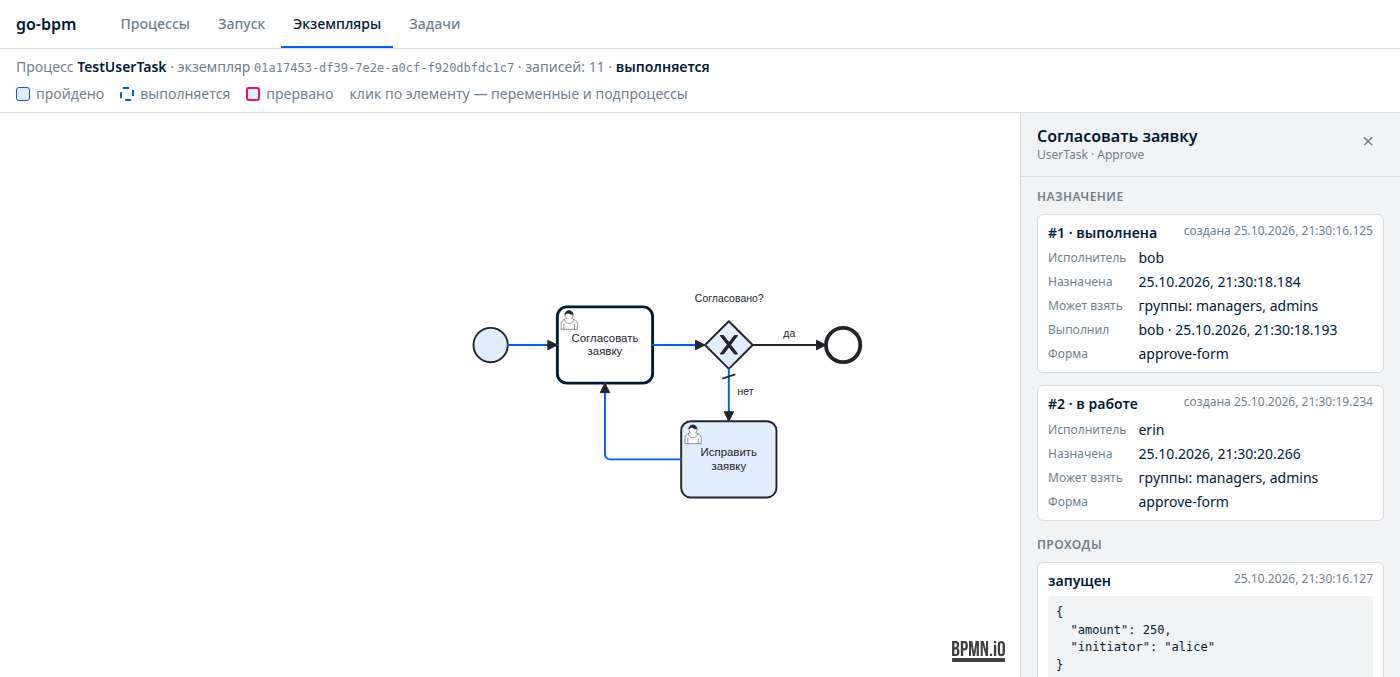
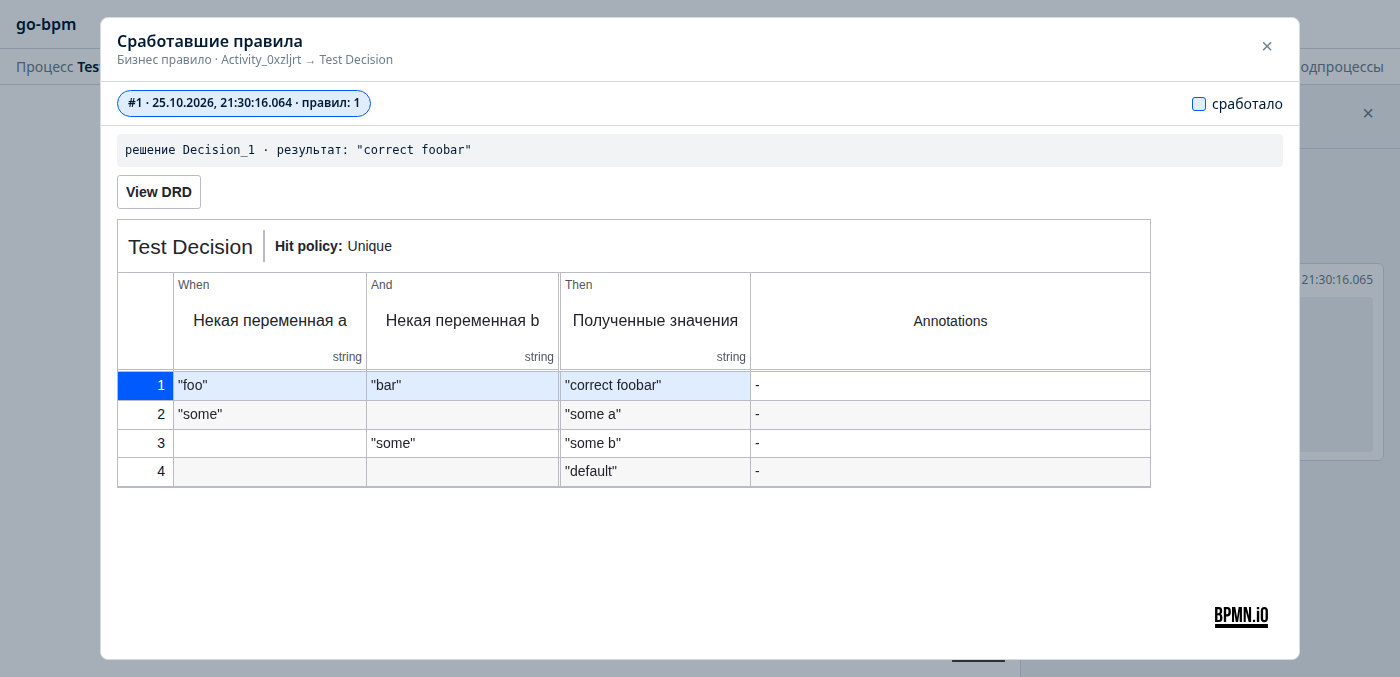
/ui/ provides processes, instance search, user tasks, diagram history, matched DMN rules, heatmaps and process statistics.
Testing
go testBusiness logic lives in Go functions. Test it like the rest of your service.
*model.DataModel and check its fields.services.Services.decide<Id> functions from the process package.func TestCheckOrder(t *testing.T) {
data := &model.DataModel{Amount: 500}
err := CheckOrder(context.Background(), &services.Services{}, data)
if err != nil { t.Fatal(err) }
if !data.Checked { t.Error("order was not checked") }
}Configuration and extension
Assemble the engine, API and console inside your Go service.
Database, API and queue clients are typed fields of services.Services, available to methods and handlers.
Process variables are fields of your DataModel, including nested structs.
Method, handler and model stubs are created once. Only files marked Code generated by go-bpm-gen are regenerated.
Register API and console handlers on your http.ServeMux and protect them with your middleware.
Use migrations.Up or take SQL from migrations.List() for goose, migrate or liquibase.
Configure workers, attempts, timeouts, retry delays, slog logging, live history flags and queue prefixes for process versions.
metrics.Collector exposes queue states, oldest task age, failed instances, open user tasks and attempt durations.
engine.Hooks provides element events, a wrapper for your code and instance failure notifications. Add OpenTelemetry spans and alerts.
engine.Retention deletes old completed and cancelled instances with their history and tasks. Failed instances remain available for investigation.
The generator rejects unsupported BPMN during generation.
Connect the engine, API and console to your http.ServeMux and pgx pool.
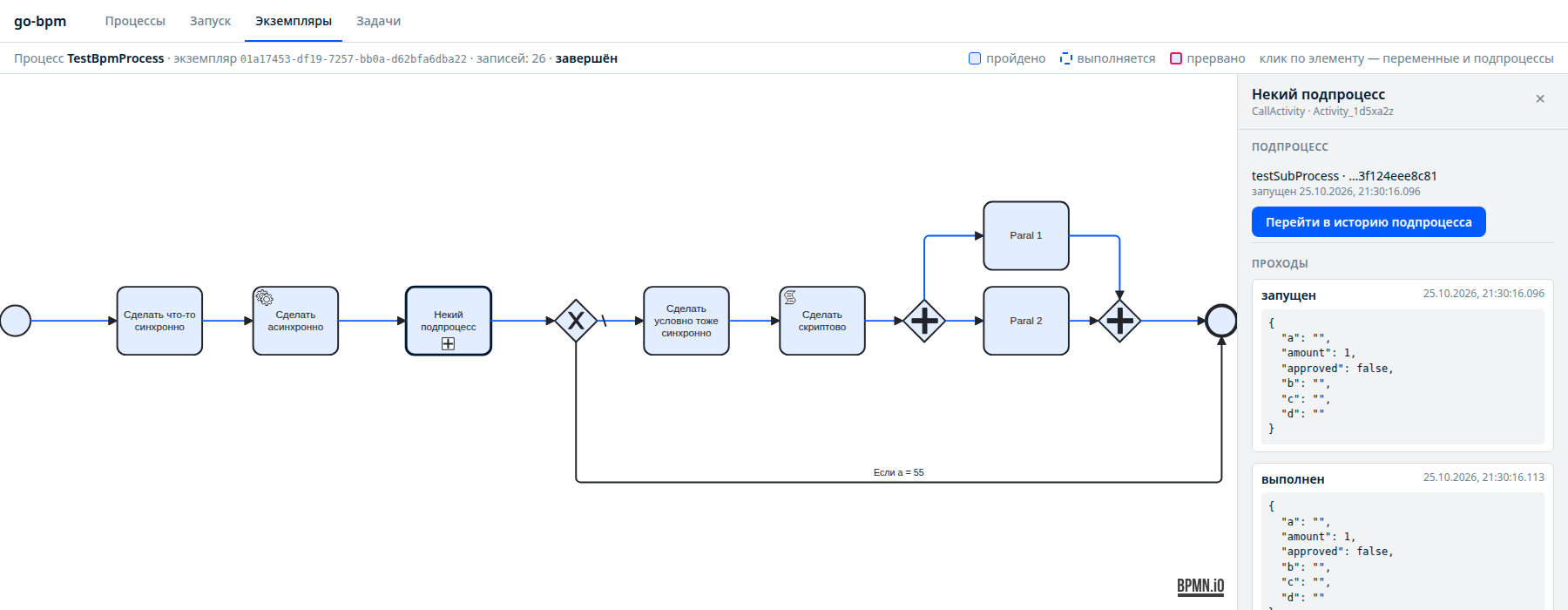
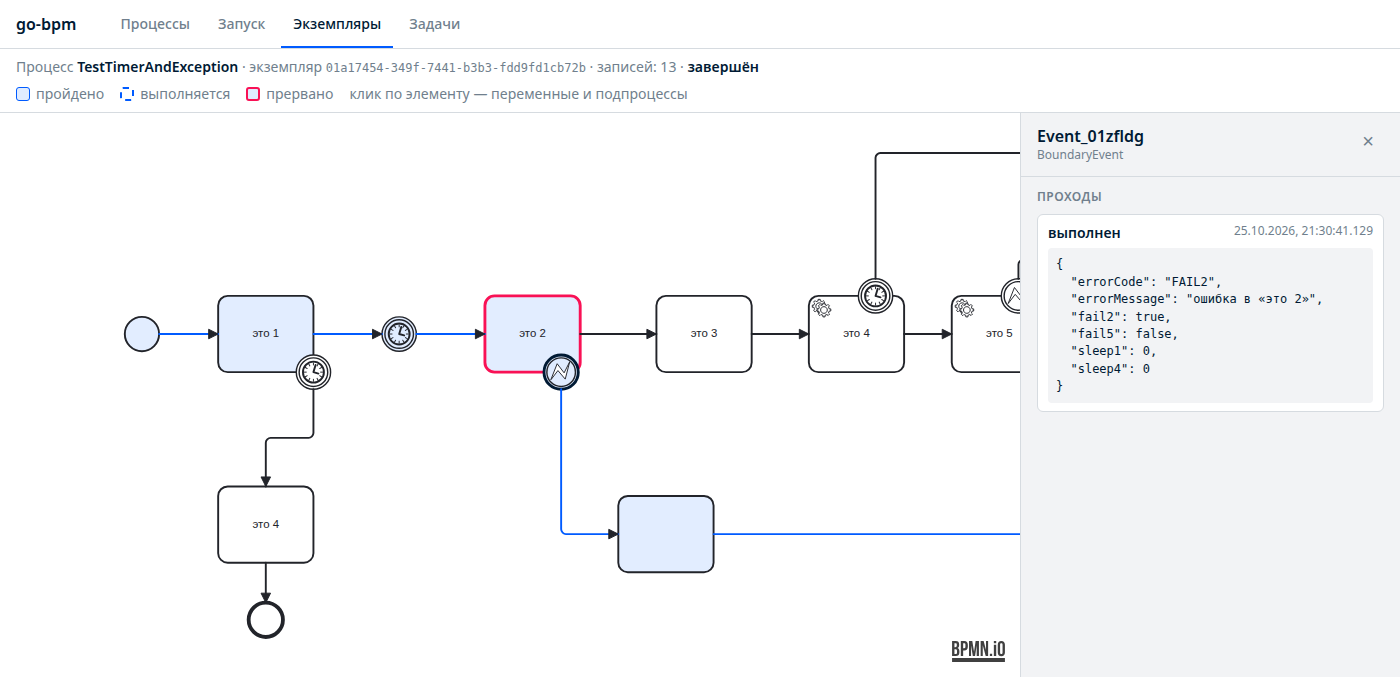
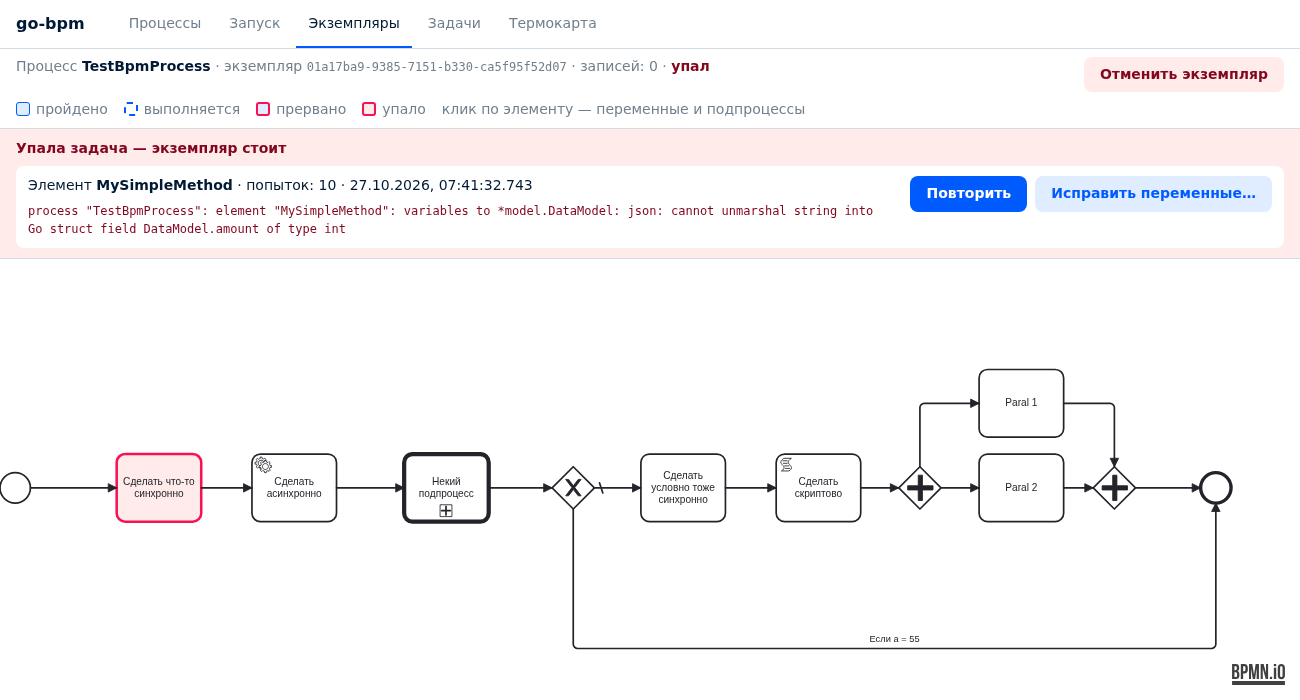
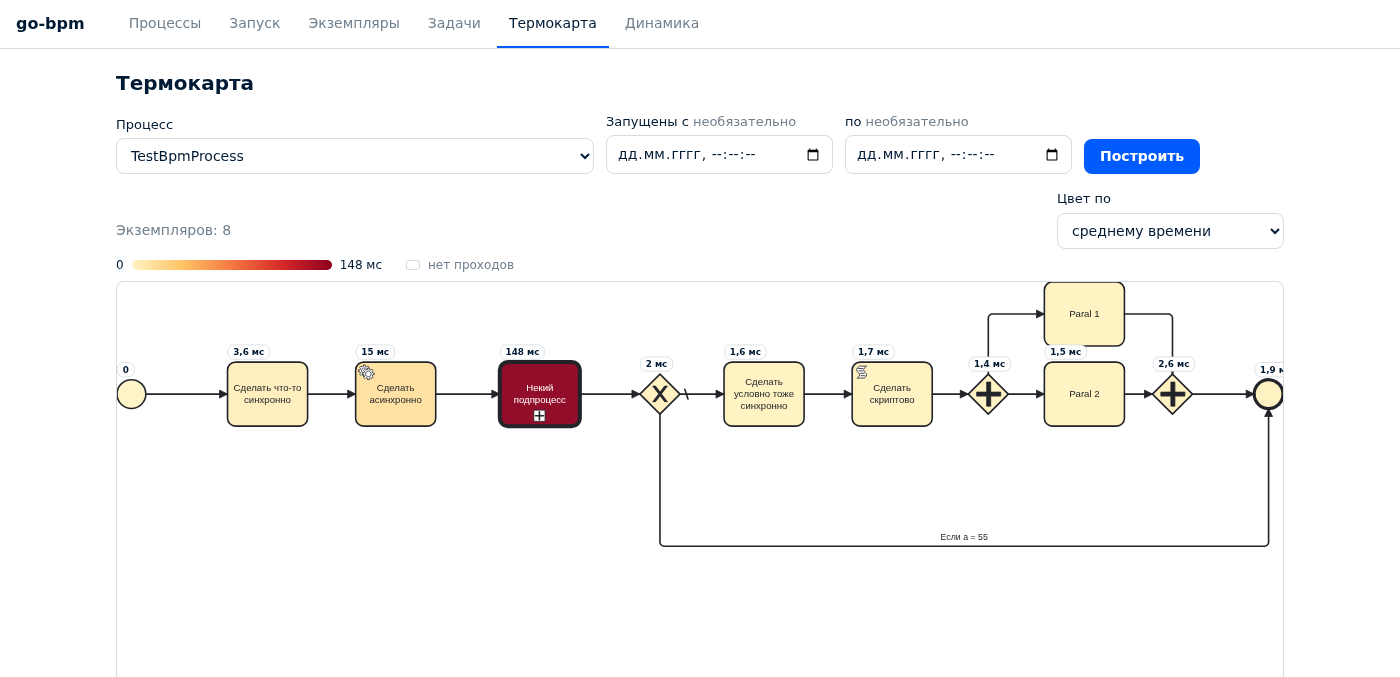
Follow tokens, inspect task variables and see which DMN rules matched. Screenshots show the Russian console.
Operations
Use the console, HTTP API or Go methods.
Inspect the failed element, attempt count and error. Deploy a fix and return the task to the queue. Its instance and parents resume.
Edit token variables as JSON and retry the task with corrected data.
Cancel a root instance and its children, removing queued tasks, timers and open user tasks.
Color diagram elements by average, maximum or total duration, or execution count, for a selected period.
See instance outcomes by start date, plus median and p95 completion time.
Use failure, retry, cancellation, heatmap and statistics HTTP endpoints or engine.InstanceOperations.