go-bpm modeler
A BPMN and DMN editor for go-bpm
A desktop app for Linux, Windows and macOS. The palette contains supported elements, properties use the generator's format, and diagrams follow its validation rules. Save *.bpmn and *.dmn files in your service's process/ directory.
Source code on GitHub
Loading available builds…
Installation
Linux
Choose x86-64 for conventional PCs or ARM64 for Raspberry Pi 4/5, ARM laptops and Linux virtual machines on Apple Silicon. Check with uname -m. Extract the archive and run go-bpm-modeler. GTK 3 and WebKitGTK 4.1 are required, available on Ubuntu 22.04+, Debian 12+ and Fedora. Also tested on Astra Linux Special Edition 1.8.1.6.
sudo apt install libgtk-3-0 libwebkit2gtk-4.1-0
tar -xzf go-bpm-modeler-linux-amd64.tar.gz   # or linux-arm64
./go-bpm-modeler
Windows
Extract the archive and run go-bpm-modeler.exe. WebView2 is required on Windows 10 and 11. Builds are unsigned: in SmartScreen, choose “More info” → “Run anyway”.
macOS
Choose Apple Silicon for M-series processors or Intel for Intel Macs. Extract the archive and move go-bpm-modeler.app to Applications. Builds are unsigned: allow the first launch in System Settings → Privacy & Security → Open Anyway, or remove quarantine:
xattr -dr com.apple.quarantine /Applications/go-bpm-modeler.app
Verify checksums from the build's SHA256SUMS file: sha256sum -c SHA256SUMS --ignore-missing.
See the editor
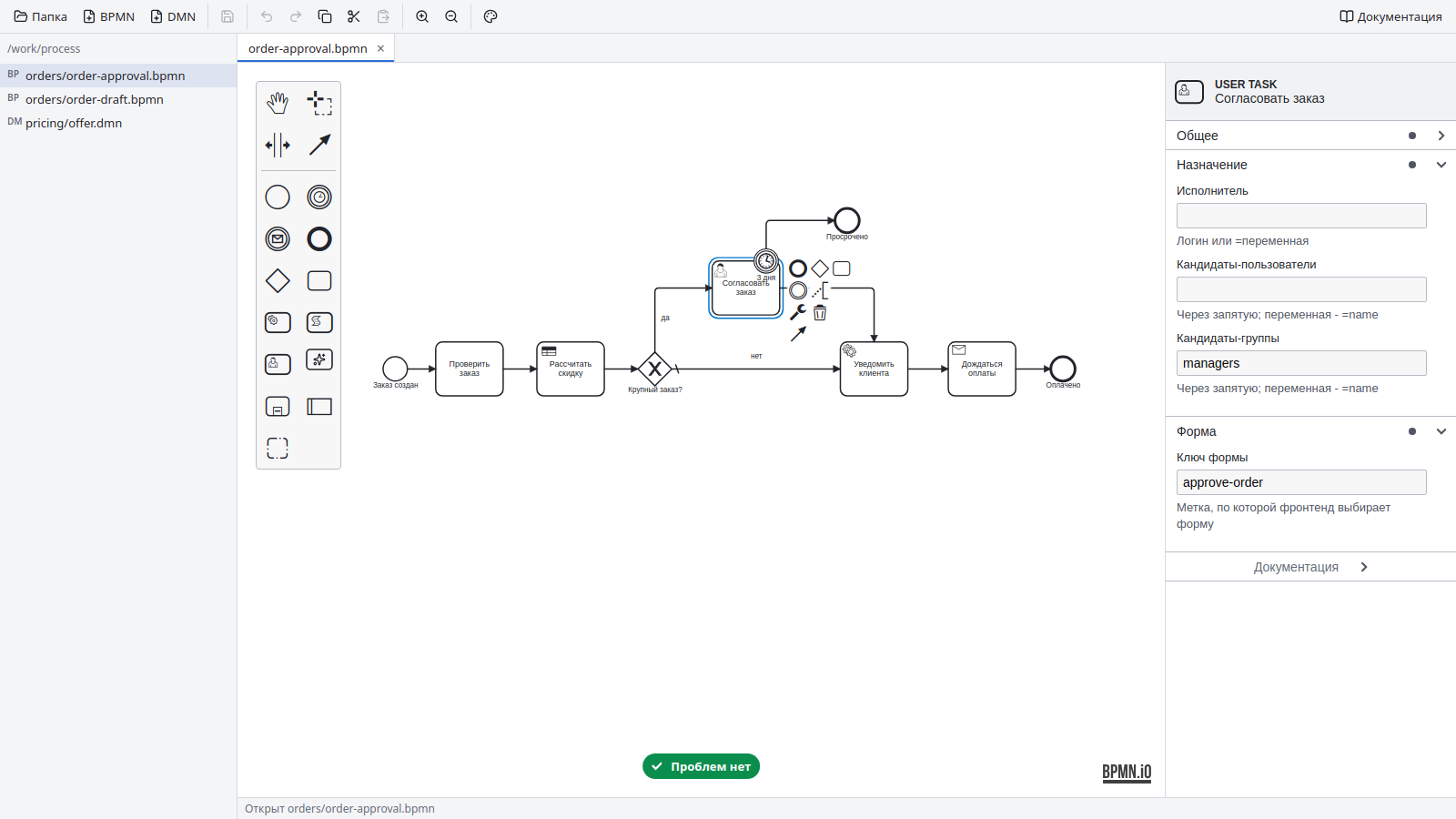
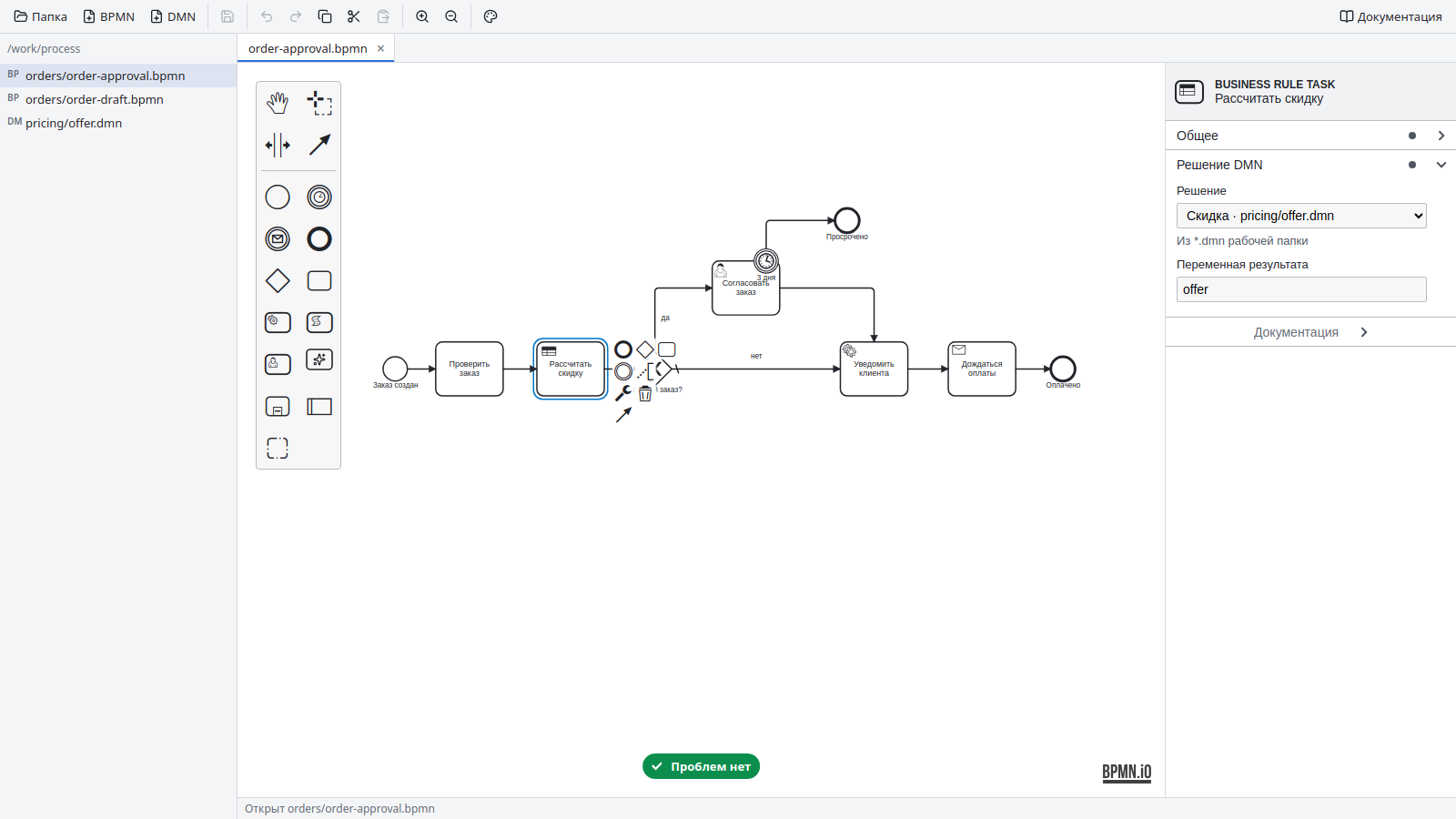
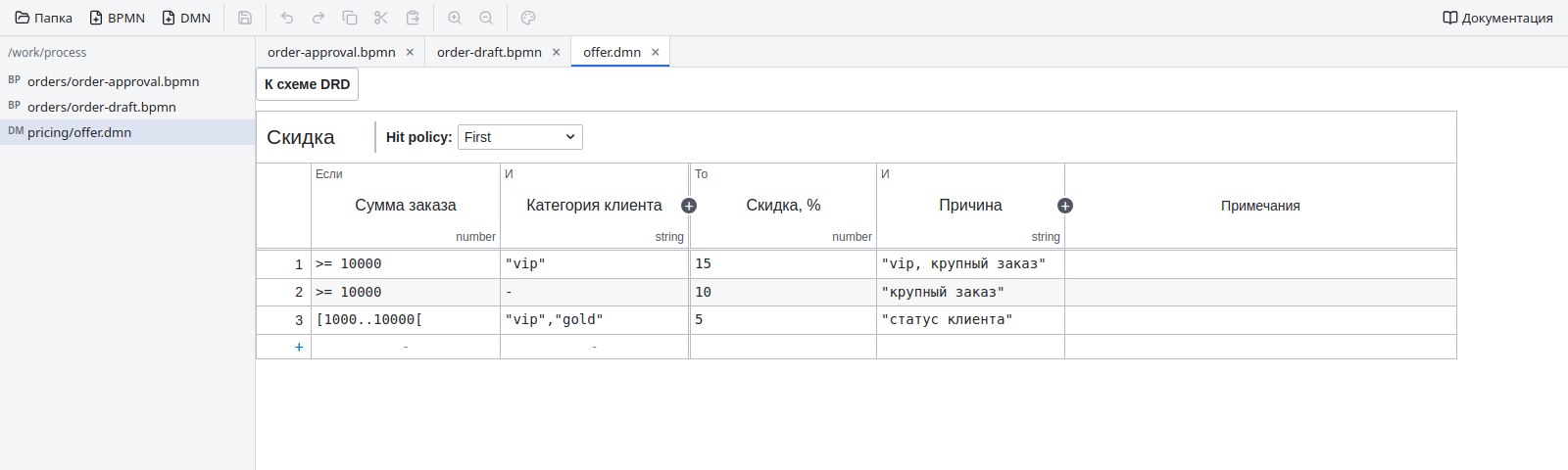
The order approval example: DMN, a user task with timer escalation, notification and payment waiting. Screenshots show the Russian interface.
Built for the engine
Supported elements only
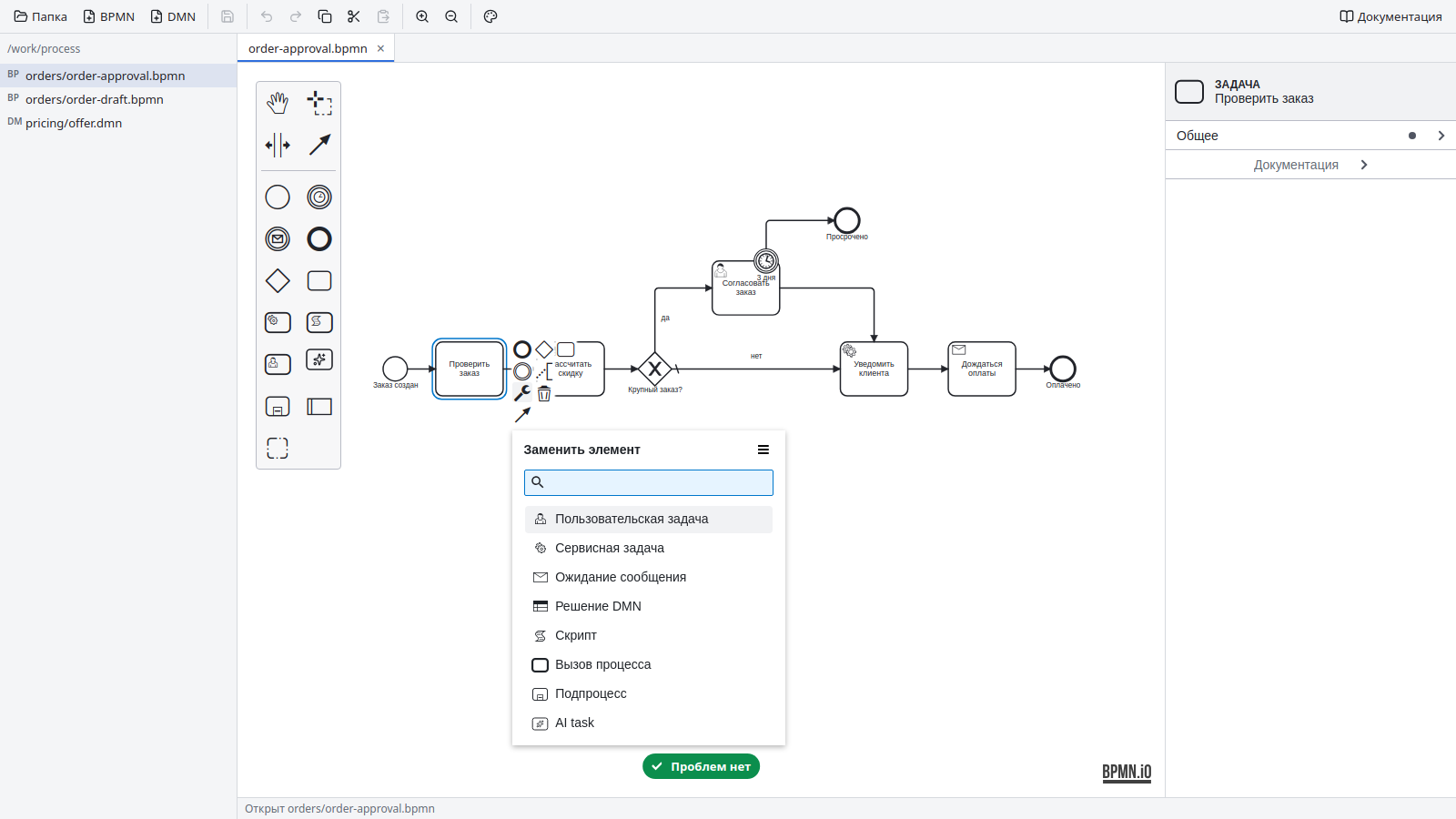
The palette and replacement menu exclude unsupported elements. Boundary events attach only where supported, and branching uses gateways.
Errors before generation
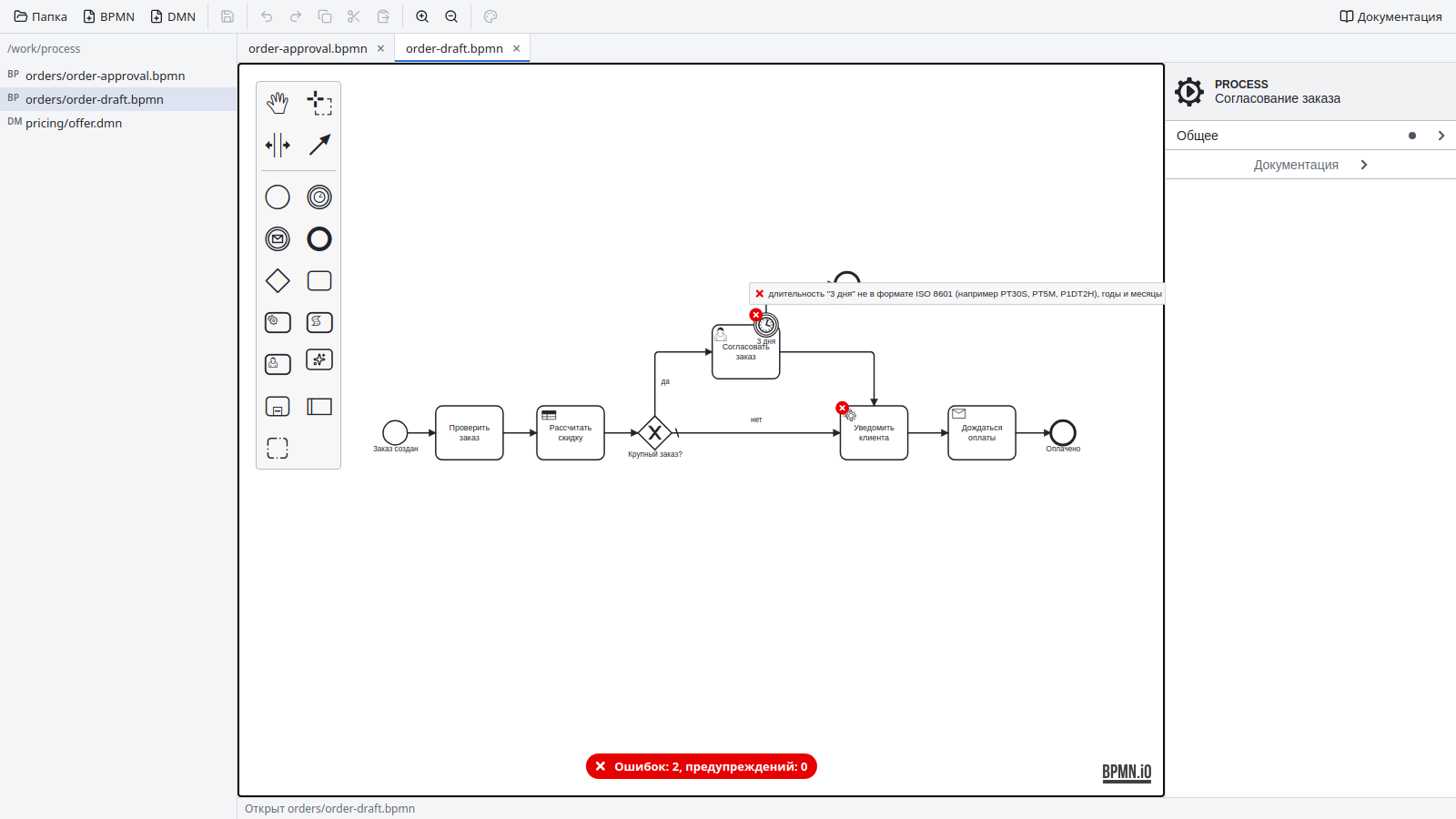
The linter applies generator rules: missing job types, invalid timers and illegal branches appear directly on the diagram.
Engine properties
Configure job types, retries, scripts, DMN results, call activities, user assignments and forms, message keys, timers and multi-instance.
Files in your repository
BPMN 2.0 and DMN 1.3 files stay next to service code in Git. Writes are atomic.
Work with an AI agent
The built-in MCP server lets Claude Code, Cursor and other agents inspect the diagram and propose changes. You approve each edit.
How to use it
- Open a folder. Select your service's
process/ directory. The modeler lists its files and remembers the workspace. - Create a diagram. Choose BPMN or DMN and a filename; use a slash for subdirectories, such as
orders/approval. - Draw the process. Use the palette and element menus. Tasks have one outgoing sequence flow; use gateways for branching.
- Set IDs and properties. Prefer meaningful IDs such as
CheckOrder to generated random identifiers. - Fix linter errors. Errors block generation. Review warnings as well.
- Save and generate. Save, then run
go generate ./... in the service. See the generator guide.
Linter rules
Errors prevent generation. Warnings indicate a potentially unintended process.
| Rule | Checks |
|---|
supported-elements | Supported tasks, gateways, events and loops only; no inclusive or event-based gateways, send/manual tasks, throw events, event subprocesses, nested subprocesses, standard loops or non-interrupting boundary events. |
single-start-event | Exactly one plain start event in a process or subprocess. |
boundary-events | Timer and error events attach only to supported activities; boundary timers cannot attach to multi-instance activities. |
branches | Tasks and events have one outgoing flow; conditions belong to exclusive gateway outputs. |
exclusive-default | A missing default branch is a warning: an instance fails if no condition matches. |
required-properties | Service task job types, scripts, decision/result references, called processes, constant message names and AI prompt/result settings. |
timers | ISO 8601 durations without months or years, RFC 3339 dates with a time zone, or variable references. No timeCycle. |
multi-instance | Sequential only; a positive integer cardinality or a completion condition is required. |
assignments | Assignees, candidates and correlation keys use literal values or variable references rather than arbitrary expressions. |
process-ids | Unique IDs that do not collide with generated package names. |
references | Warn about missing DMN decisions or called processes in the workspace. |
DMN decision tables
- A non-empty decision table is required; no literal expressions or dependencies via
requiredDecision. - No
PRIORITY or OUTPUT ORDER; aggregating COLLECT requires a single output. - Outputs must exist and multi-output names must map to distinct Go fields.
- Tested inputs need expressions, and comma-separated tests cannot contain empty entries.
- The linter warns about unsupported types, FEEL functions and unused BKM, knowledge source or decision service elements.
The generator checks DataModel fields and expression compilation. See BPMN and DMN for engine limitations.
MCP server
Model together with an AI agent
Claude Code, Cursor and other MCP clients can inspect open diagrams, unsaved changes and selected elements, explain the process and propose edits. You approve changes in the modeler and decide when to save.
- Click the AI agent toolbar button and enable the MCP server.
- Copy the command from the dialog. For Claude Code:
claude mcp add --transport http go-bpm-modeler http://127.0.0.1:39190/mcp \
  --header "Authorization: Bearer <token from the dialog>"
- Ask the agent to review approval logic, add a timer escalation or explain a selected decision table.
The server is off by default, listens only on the local machine, requires a token and is restricted to the workspace. Changes and new files require your approval.
Setup, examples and security